Bori Island Dev Notes
An interactive notebook that builds a Wonder Boy-style 8-bit platformer from an empty canvas. Ten chapters go from the game loop through sprites, tile maps, authoring tools, chip music, physics, and state machines to a finished game, and you can change every part as you read.
On April 21, 1986, Sega put Wonder Boy into Japanese arcades. It was developed by Escape, and Ryuichi Nishizawa was its director, designer, and composer. The arcade board ran on a Z80 processor at 4 MHz.
The following March the game came to the Sega Mark III, sold abroad as the Master System, under the name Super Wonder Boy. Its screen is 256 × 192 pixels; covering it with 8 × 8 tiles takes 768 of them. Its 16 KB of video memory had room for 448 tile patterns.
How did the console paint a whole island with those 448 tiles and two palettes of 16 colors, and play its music on three square waves? The machines have changed, but a game today still has to answer the same questions. What does a game do sixty times a second? How does a character know it’s standing on the ground, and why does a good jump still work for a moment after you’ve run off a ledge? Bori Island Dev Notes answers by building a small platformer in the style of Wonder Boy, starting from an empty canvas and adding one working part at a time.
Every demo runs the real engine, so when you change a number, you see what it does. The parts are wired together, too: repaint Bori’s shirt in the pixel editor, raise the gravity in the physics lab, or move a pit in the level editor, and the finished game in the last chapter plays with your changes. The rules come from Wonder Boy (1986): a vitality meter that drains as you go, fruit that tops it up, weapons and power-ups that come out of flower buds, rocks that trip you, and a screen that never scrolls back. The limits come from the Master System above: a 256 × 192 screen, 16 of 64 colors per palette, eight sprites on a line, and a sound chip with three square waves and one noise channel. The character, art, music, level, and code are all new.
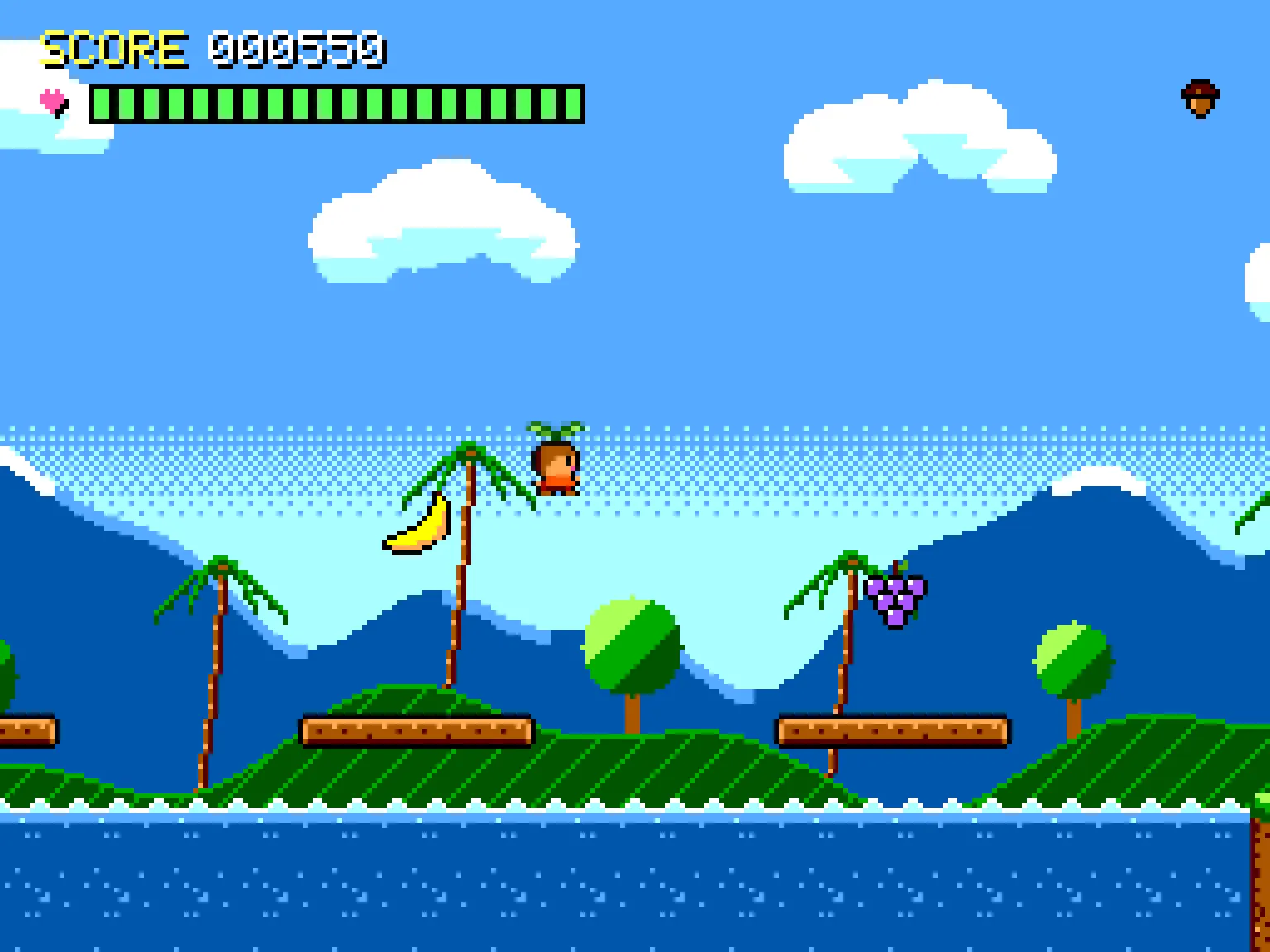
What you can try
- The game loop (Chapter 1). A variable time step and a fixed one run side by side, and a timeline shows the accumulator deciding how many updates each frame gets.
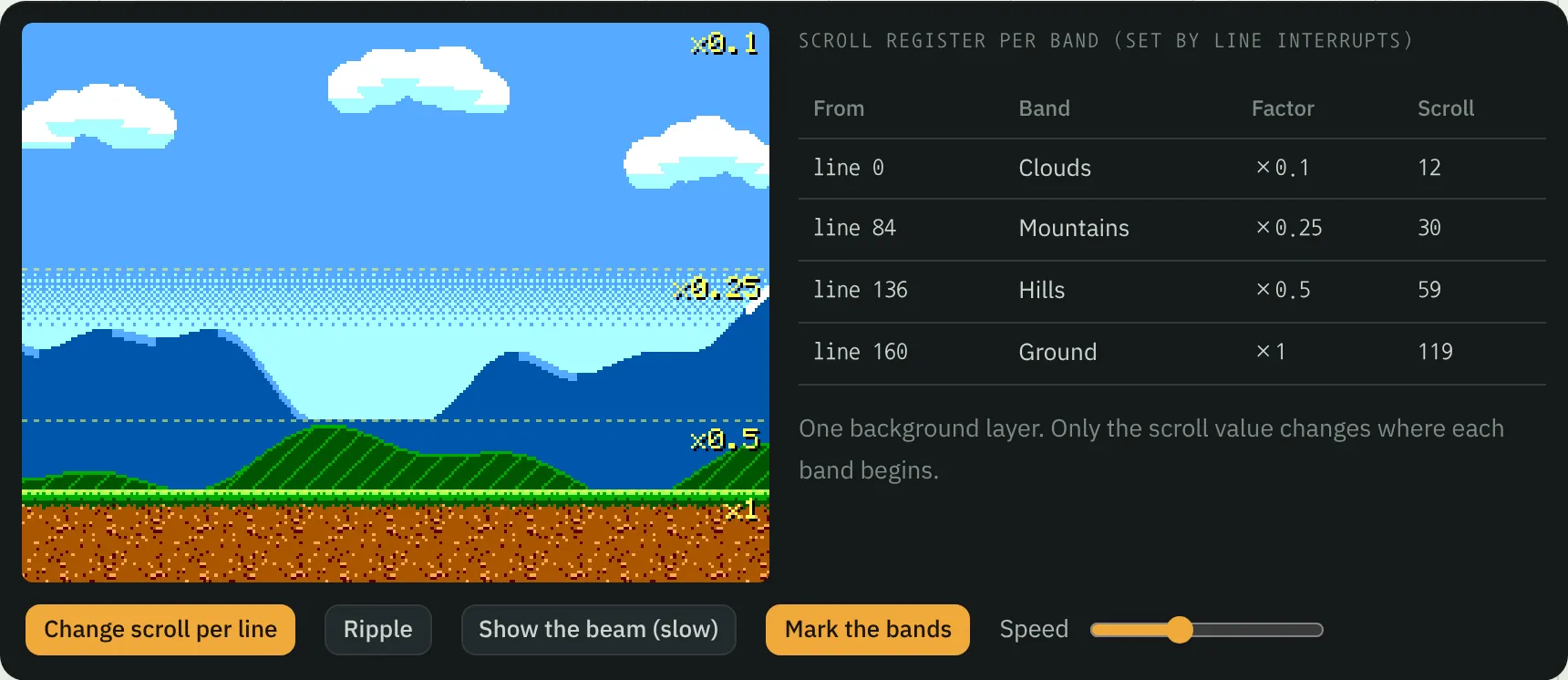
- Sprites and backgrounds (Chapters 2 and 3). Pixels stored as palette numbers, animation tables, palette swaps, the eight-sprites-per-line limit and the flicker it causes, tile maps, parallax layers spread out in 3D, and a dead-zone camera.
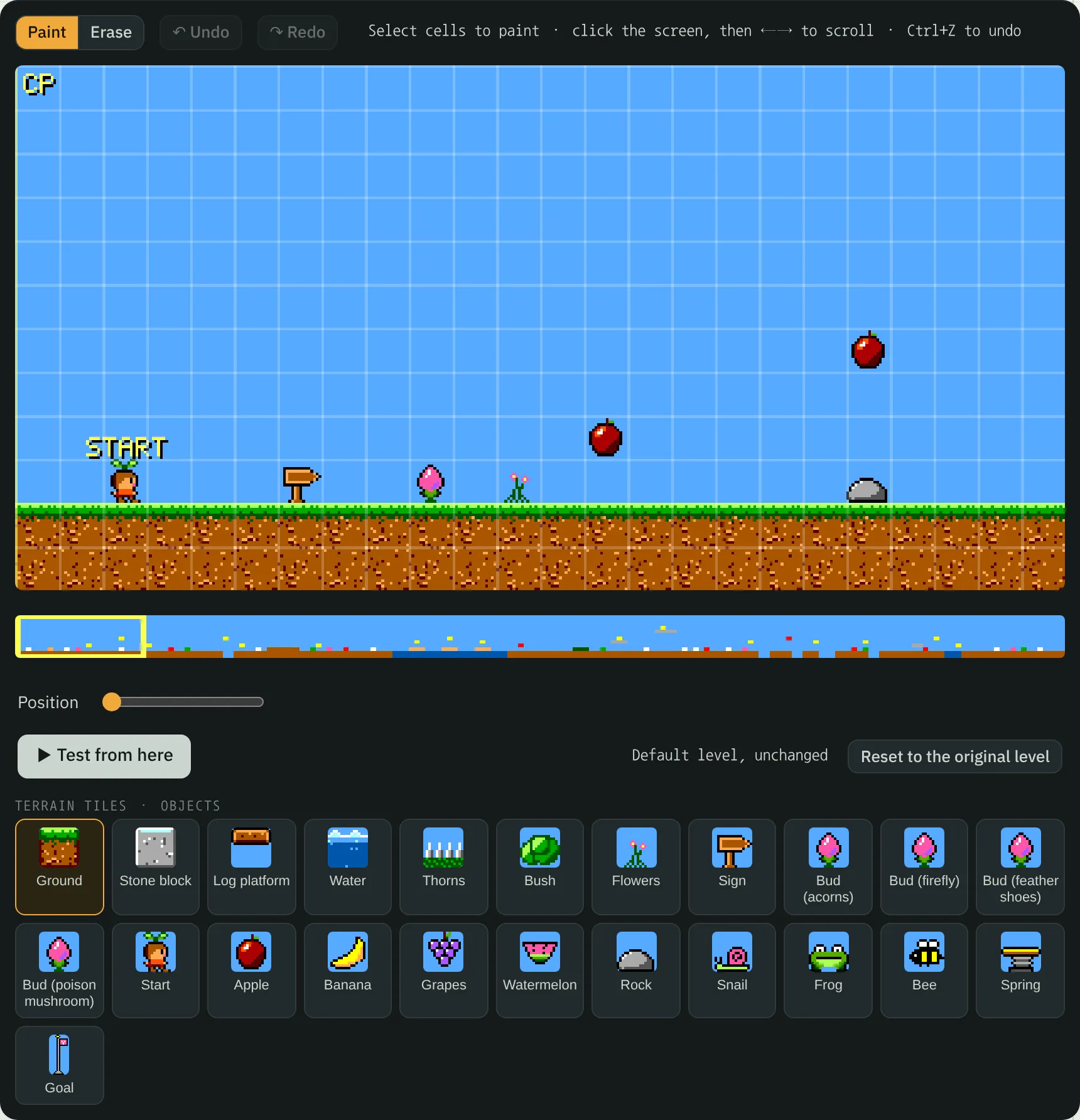
- Tools (Chapter 4). A pixel editor, autotiling, and a level editor that tests the level from wherever you are. What you make goes straight into the game, and the chapter shows the same level as a character map, as run-length encoding, and as JSON.
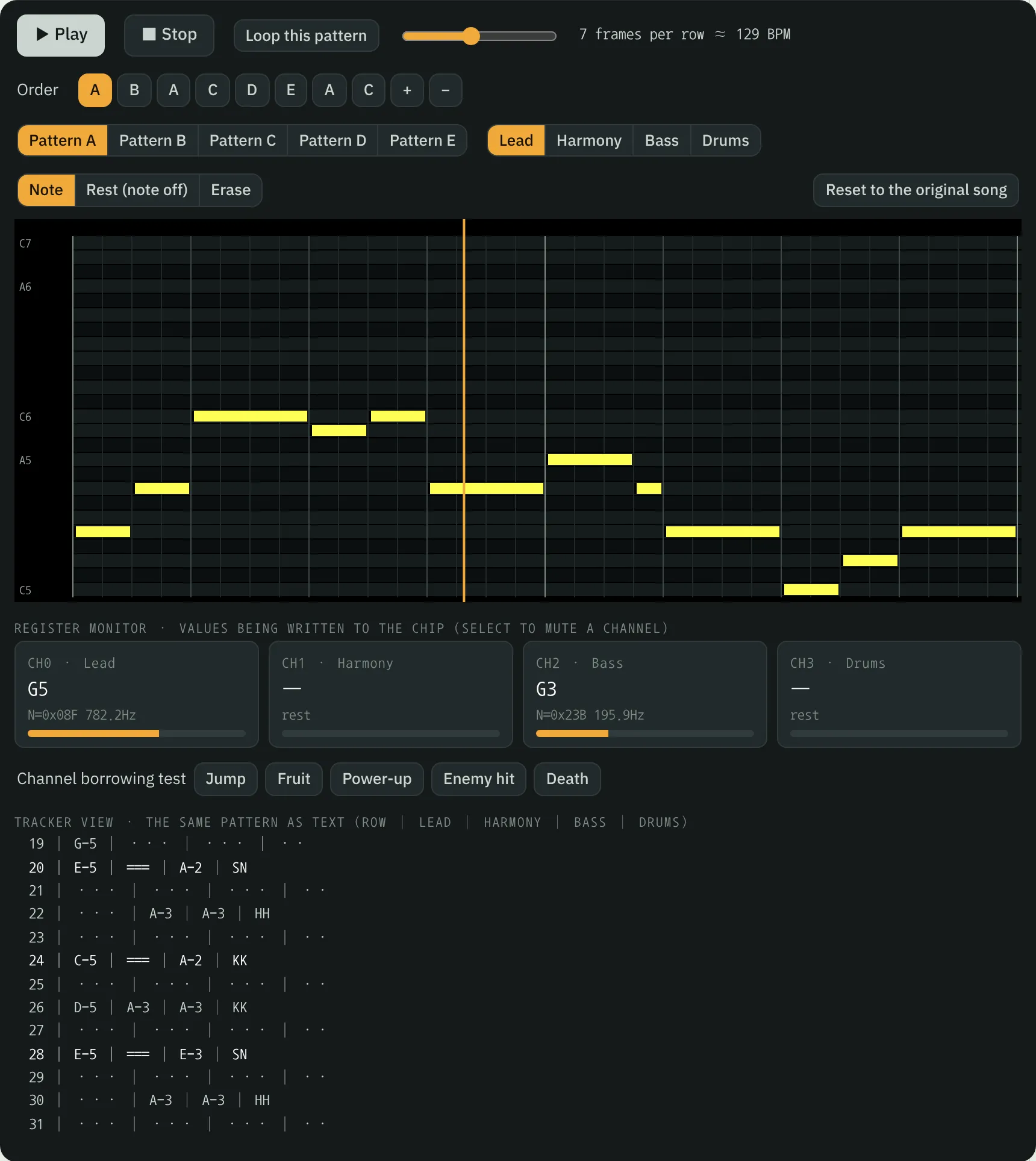
- Sound (Chapter 5). A keyboard for the emulated sound chip that shows the register values it writes, a sound-effect designer, and a tracker for the background music.
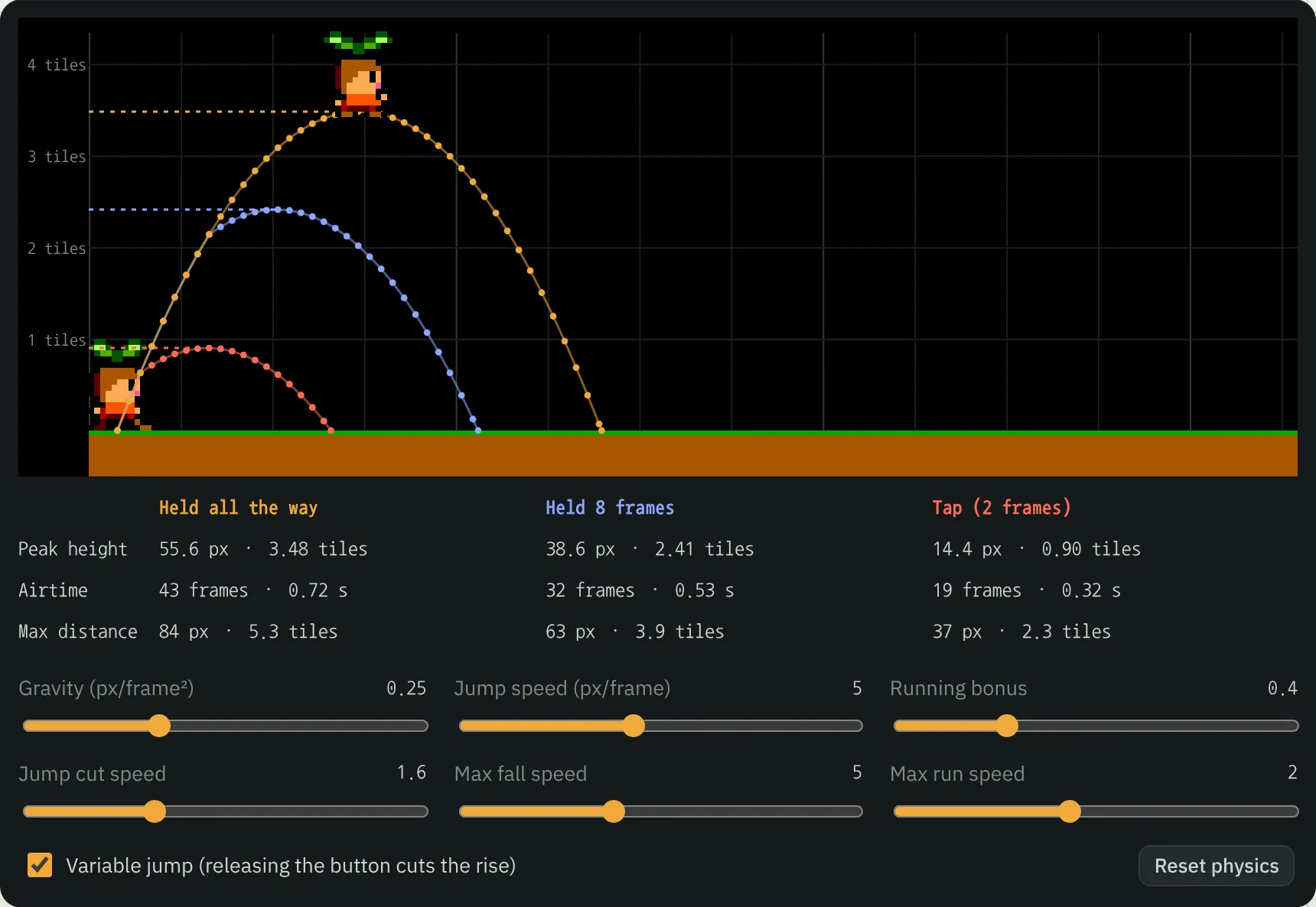
- Physics (Chapter 6). A jump arc lab, tile collision one step at a time, coyote time and jump buffering, and what happens when something moves too fast to collide.
- Feel (Chapter 7). Input that tells pressing from holding, switches for hit stop, screen shake, and other juice, a debug view, and a bitmap font.
State machines
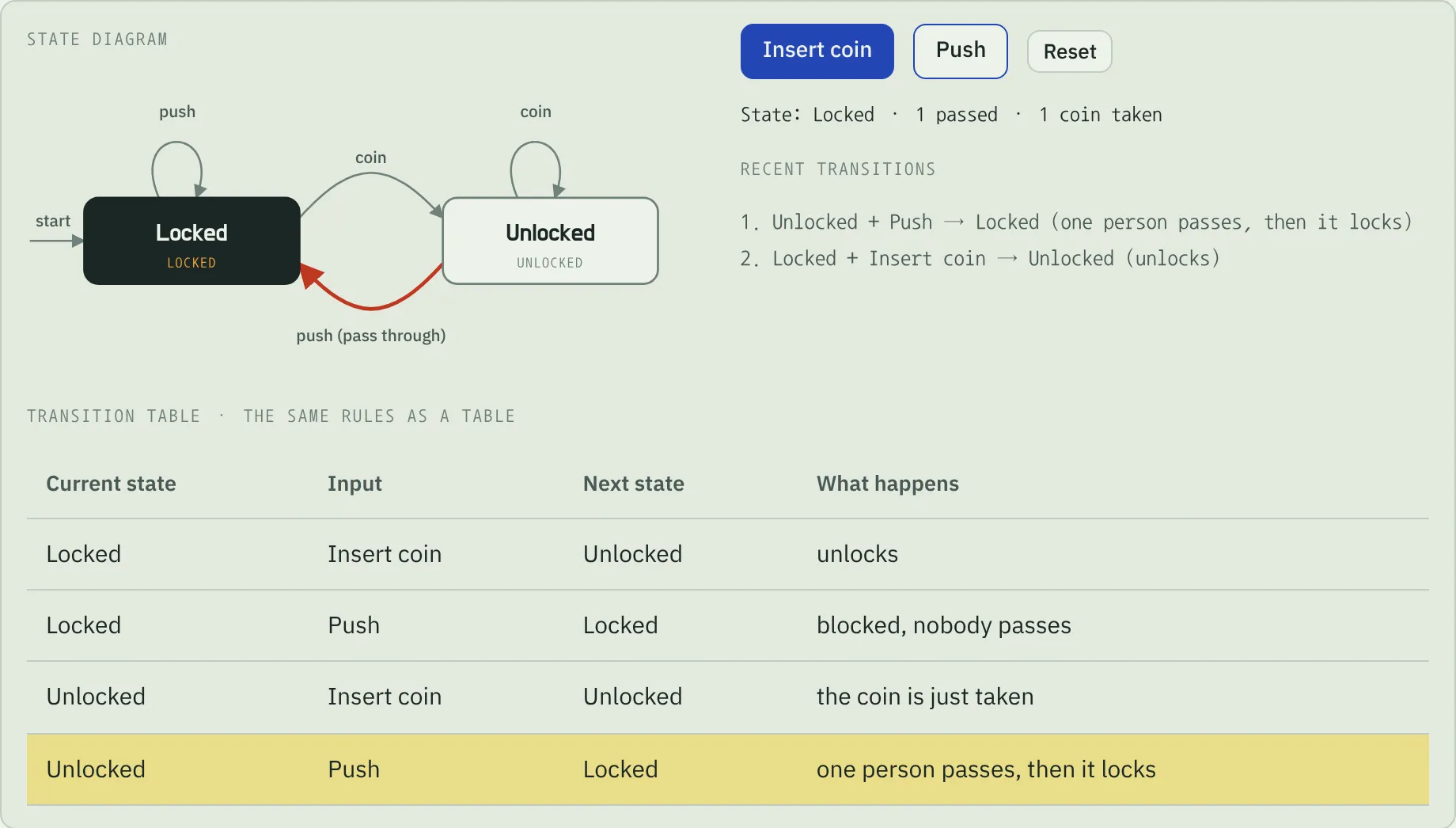
Chapter 7 stops to explain what a state machine is, because so much of a game is one. It starts with a turnstile that has two states and two inputs: insert coins, push, and watch the diagram, the transition table, and the history agree. Then it keeps the same rules as a handful of true/false flags to show the impossible combinations that creep in, and ends with Bori’s own six states (idle, run, jump, fall, stumble, and dead) lighting up as you play.
The 1986 hardware and today’s
Chapter 8 sets the Master System beside a modern computer. The console had no framebuffer: it assembled the picture line by line from 8 × 8 tiles kept in 16 KB of video memory, and a demo counts how many distinct tiles each background needs against the 448 that fit. Games split the screen into bands by changing the scroll value as each line was drawn, where today you’d draw a few layers on the GPU. The sound chip played a score note by note while the game ran; a modern game mostly plays recordings and mixes as many as it likes, turning the music down under the sounds that matter. For each difference, the chapter says how you’d handle it now: integer scaling for crisp pixels on a large display, a fixed simulation step, and mixer buses with ducking.
How it’s made
It’s plain HTML, CSS, and JavaScript with no libraries or framework, and a build script bundles everything into a single HTML file. Sprites are written as grids of hex digits and the level as a 192 × 12 character map, so the tools edit data you can read. The sound chip is emulated with Web Audio: each tone channel gets its pitch from a 10-bit register value, as on the real chip, and the noise comes from a 16-bit shift register. The whole notebook is available in English and Korean, and the source is on GitHub under the MIT license.
Bori Island is an original game inspired by Wonder Boy (Escape/Sega, 1986). It isn’t affiliated with Sega or with the owners of Wonder Boy.
Getting started
Start from Chapter 0, or jump to Chapter 9 to play. Click a game screen to give it the keyboard: the arrow keys or WASD move, Z or Space jumps, and X throws. On a phone, use the buttons under the screen. The sound button under the chapter list turns the sound on and off. Your edits are saved in your browser, and the box under the chapter list shows what you’ve changed and puts everything back with one button.