GROOVIX
A three-track groovebox you play right in the browser. Put on one of 26 example mixes, from house and jazz to Korean ppongjjak, samba, tango, and Pachelbel's Canon, swap each track between synths and recorded instruments, program the beat, and record your own playing on top. Upload a hummed melody and it turns it into notes.
In 1996, Roland released a small box called the MC-303. It put a sound module with 448 preset sounds, an eight-track sequencer, and drum kits based on the TR-808 and TR-909 into one unit, with knobs you could turn to change the sound while the music kept playing. Roland called it a groovebox, and the MC-303 was the first machine to carry the name.
GROOVIX rebuilds the groovebox inside the browser. There is nothing to install: pick an example mix, press PLAY, and a song starts. From there, switch the lead track from a synth to a saxophone, turn a few beat steps on and off, and add a melody on the keys, and you get a feel for what a synthesizer does and how a song is built up in layers.
What you can try
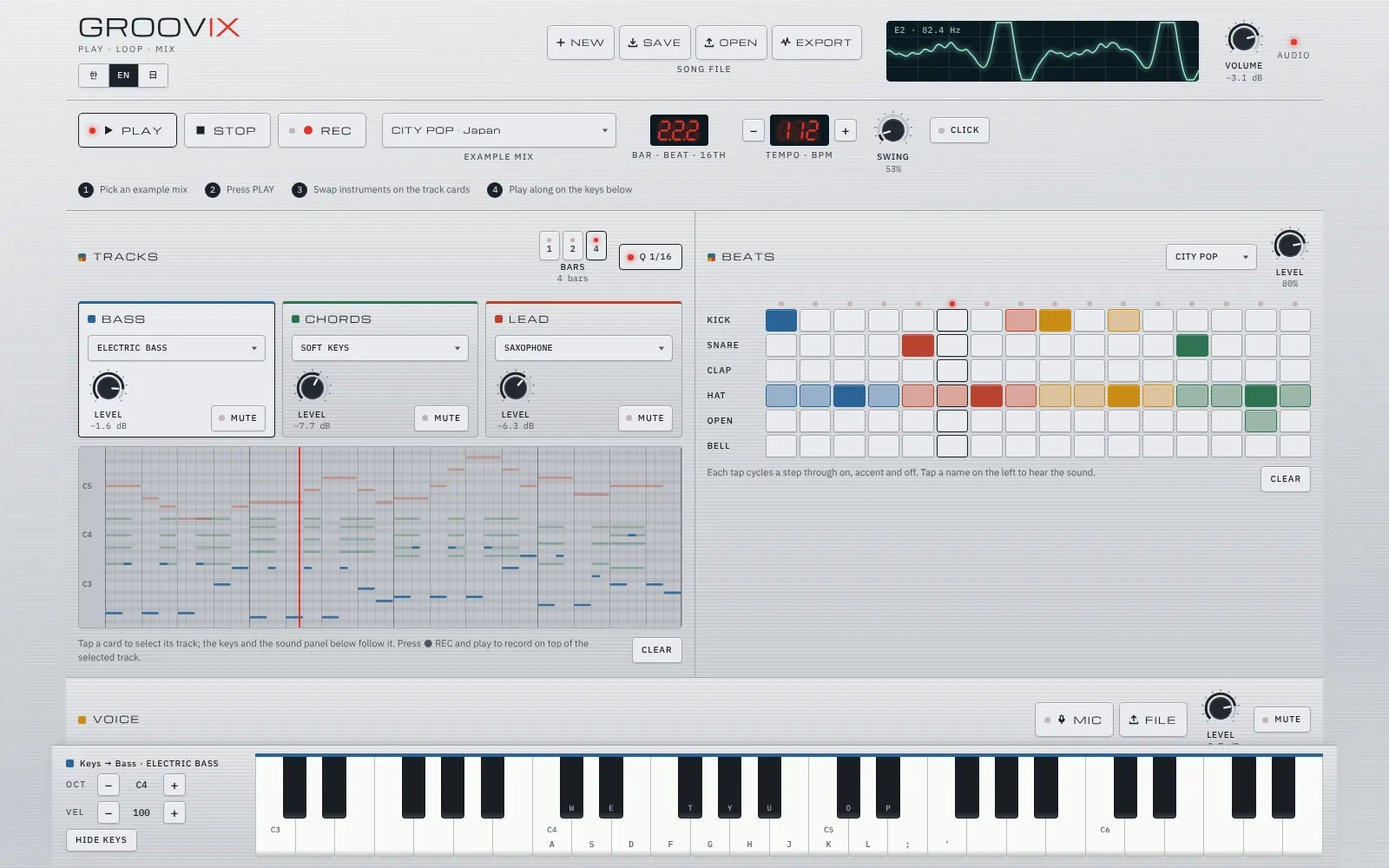
- 26 example mixes. Eight genres (deep house, lo-fi beats, synthwave, acid techno, chiptune, acoustic pop, cinematic, garage rock), six jazz styles (jazz café, swing, bebop, bossa nova, jazz funk, gypsy jazz), eight world rhythms (ppongjjak from Korea, samba from Brazil, reggae from Jamaica, reggaeton from Puerto Rico, salsa from Cuba, tango from Argentina, city pop from Japan, and bhangra from India), and four classical pieces (Pachelbel’s Canon for string trio, the opening of Mozart’s Eine kleine Nachtmusik, Beethoven’s Ode to Joy for cello, harp, and flute, and the opening of Bach’s Toccata in D minor on the organ). Picking one changes the tempo, the beat, and the instruments and notes of all three tracks at once.
- Three tracks. Bass, chords, and lead each have their own instrument, level, and mute, and the piano roll shows the notes of all three in their own colors. Select a card and the keys and the sound panel follow that track.
- Instruments. Twelve synth sounds and eleven recorded instruments: piano, acoustic guitar, electric guitar, electric bass, pipe organ, strings, flute, saxophone, trumpet, harp, and xylophone.
- Beats. Six sounds (kick, snare, clap, hi-hat, open hi-hat, and cowbell) on a 16-step grid. Each step can be on, accented, or off, and swing pushes the off-beats later.
- Recording and arpeggios. Press REC and play to record on top of the selected track, snapped to sixteenth notes if you like. The arpeggiator plays the chord you hold up, down, or in random order.
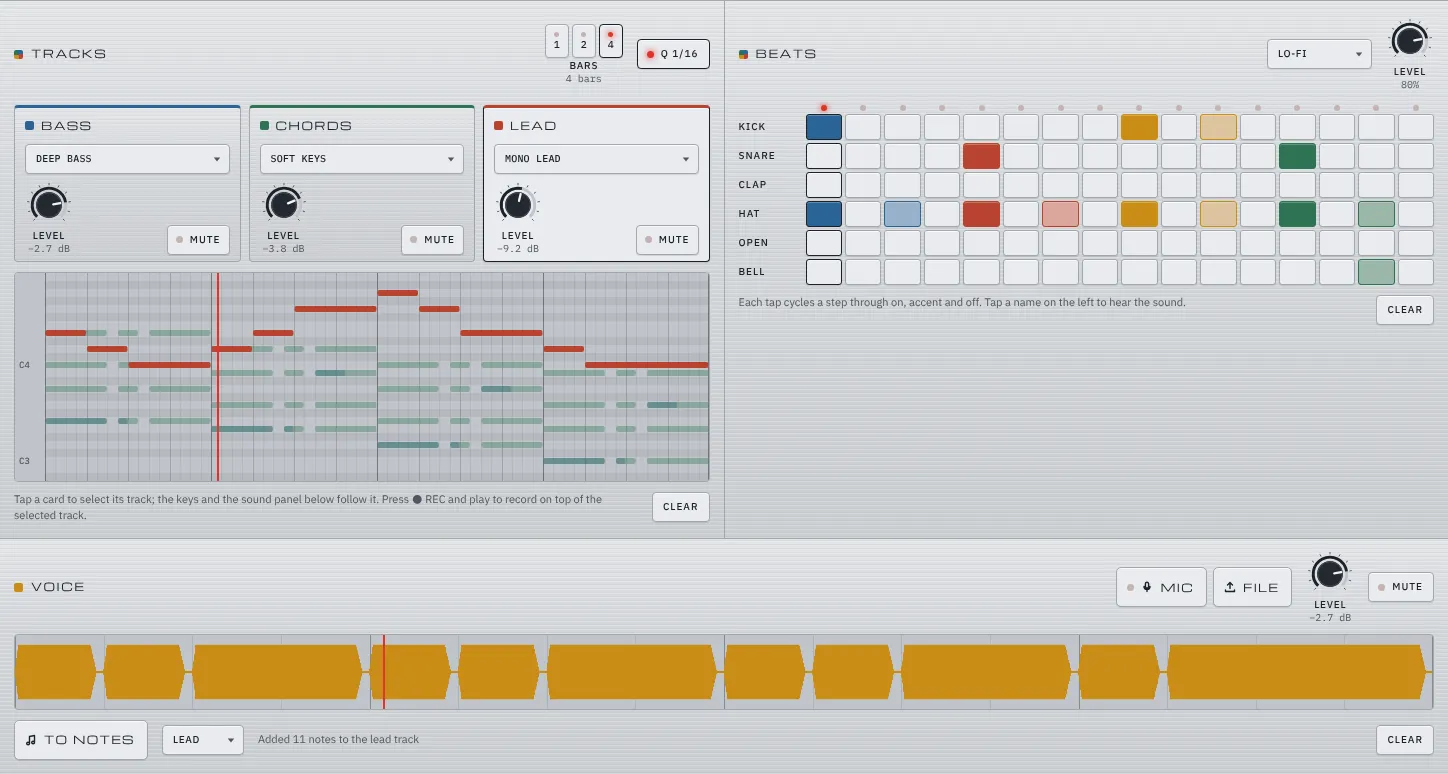
- Voice. Upload a recording, or record one loop from the microphone, and it plays along with the loop. Press TO NOTES and the melody becomes notes on the track you choose.
- Files. NEW clears the notes, the beat, and the voice so you can start a song of your own. Save a song file (.json) and open it again later. EXPORT gives you a zip with a WAV of the song played twice and a MIDI file you can keep working on in a music app such as GarageBand.
How the sound is made
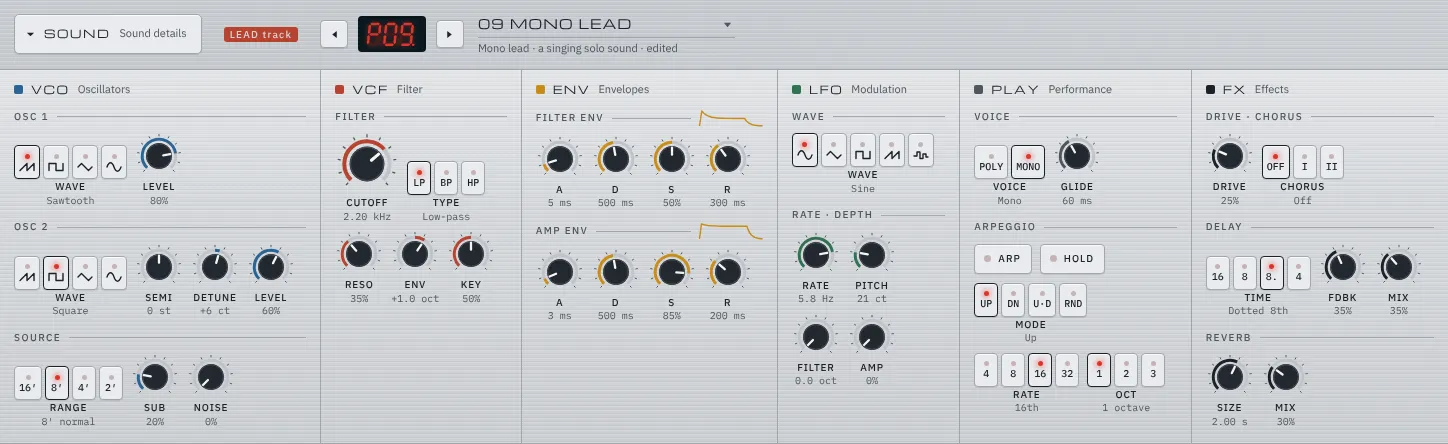
The synth sounds are computed as they play, not played back from recordings. Each note mixes two oscillators, a sub oscillator an octave below, and white noise, and sends them through two filters in a row. Because the sound passes through the filter twice, a low-pass setting cuts everything above the cutoff by 24 dB per octave. Two envelopes shape how the filter and the volume open and close over time, and an LFO wobbles the pitch, the filter, and the volume for vibrato, wah, and tremolo. After that come drive, chorus, a delay that bounces between left and right, and reverb. Even the reverb’s tail is made without a recording, from noise that fades away.
The drums are synthesized too. The kick is a sine wave that falls from 165 Hz to 42 Hz, and the hi-hat is six square waves at pitches that are not whole-number multiples of each other, mixed and filtered down to their highest frequencies for a metallic sound. The recorded instruments pick the nearest of the notes recorded a few semitones apart and change its playback speed to reach the pitch.
Keeping time takes two clocks. The timer that draws the screen can fall tens of milliseconds behind when the browser is busy, so a timer that wakes every 25 milliseconds looks for the notes due in the next 0.12 seconds and books each one at an exact time on the audio clock. That timer runs in a web worker, so the beat holds even when the tab is in the background.
From humming to notes
TO NOTES on the voice track uses a pitch estimation method called YIN. If you lay a short piece of sound over itself and slide it along a little at a time, the two copies match best when the shift equals one period of the wave. That shift is the period, and the period gives the pitch. GROOVIX lowers the recording to 11,025 Hz, measures the pitch in a window about 46 milliseconds long that moves every 8 milliseconds, filters out stray values with the median of five windows, and rounds to the nearest semitone. When the same note lasts longer than 70 milliseconds, it becomes one note.
It works well on sounds that play one note at a time, such as humming, whistling, or a single-note instrument, and struggles with chords and noisy recordings. Singing in time while you listen to the loop keeps the notes lined up with the bars.
How it’s made
GROOVIX is a single HTML file written in HTML, CSS, and JavaScript with no libraries and no build step, and all of its sound comes from the browser’s Web Audio API. The screen is available in English, Korean, and Japanese. The recorded instruments were recorded by the VSCO 2 Community Edition, Karoryfer Samples, the University of Iowa Electronic Music Studios, and Freesound contributors, and are used under the CC BY 3.0 license; the files collected by tonejs-instruments were cut to at most four seconds and reduced to mono MP3. The source is on GitHub.
Getting started
Pick a song from the example mixes at the top and press PLAY, or press NEW to start from an empty song. Try a different instrument from a track card’s list, and play along on the keys below or on your computer keyboard (A W S E D F T G Y H U J K). Space starts and stops playback, R records, and Esc silences everything. The sound panel, where the knobs live, is folded at the bottom of the page. The browser asks for permission the first time you use the microphone. Your song is saved in the browser, and SAVE keeps it as a file too.