JVM Visualizer
An educational Java virtual machine that runs in your browser. Step through compiled bytecode one instruction at a time and watch the stacks, heap, and threads change.
On May 23, 1995, Sun Microsystems announced Java at its SunWorld conference in San Francisco. James Gosling’s team had been building the language since 1991, first under the name Oak. What the Java compiler produces is bytecode. On any CPU, a Java virtual machine (JVM) running on top of it reads that bytecode and executes it one instruction at a time.
Every .class file that holds bytecode begins with the same four bytes: CA FE BA BE. Gosling recalled that the regulars at a Palo Alto place where he and his colleagues ate lunch called it “Cafe Dead,” and someone noticed the name was a hex number. He used CAFEDEAD for a persistent object format and paired it with CAFEBABE for class files.
After CA FE BA BE come the constant pool, the fields, and the methods, and each method carries its bytecode. As the JVM runs that bytecode one instruction at a time, where does a local variable live? What does new actually put on the heap? What happens to the call stack when an exception flies through three methods? The JVM answers these questions silently, millions of times a second. JVM Visualizer slows it down to one instruction at a time and shows its work.
Under the hood is a real bytecode interpreter, written in Rust and compiled to WebAssembly. Load .class files or a .jar (add the .java sources and the source view follows the current line), or pick one of the bundled samples, and step. The samples are compiled with javac --release 17 and produce byte-for-byte the same output as the JDK.
What you can see
- Thread stacks and frames. The local variables and operand stack of every frame. The instruction about to run is explained in plain English, with its stack effect and the actual values it will consume.
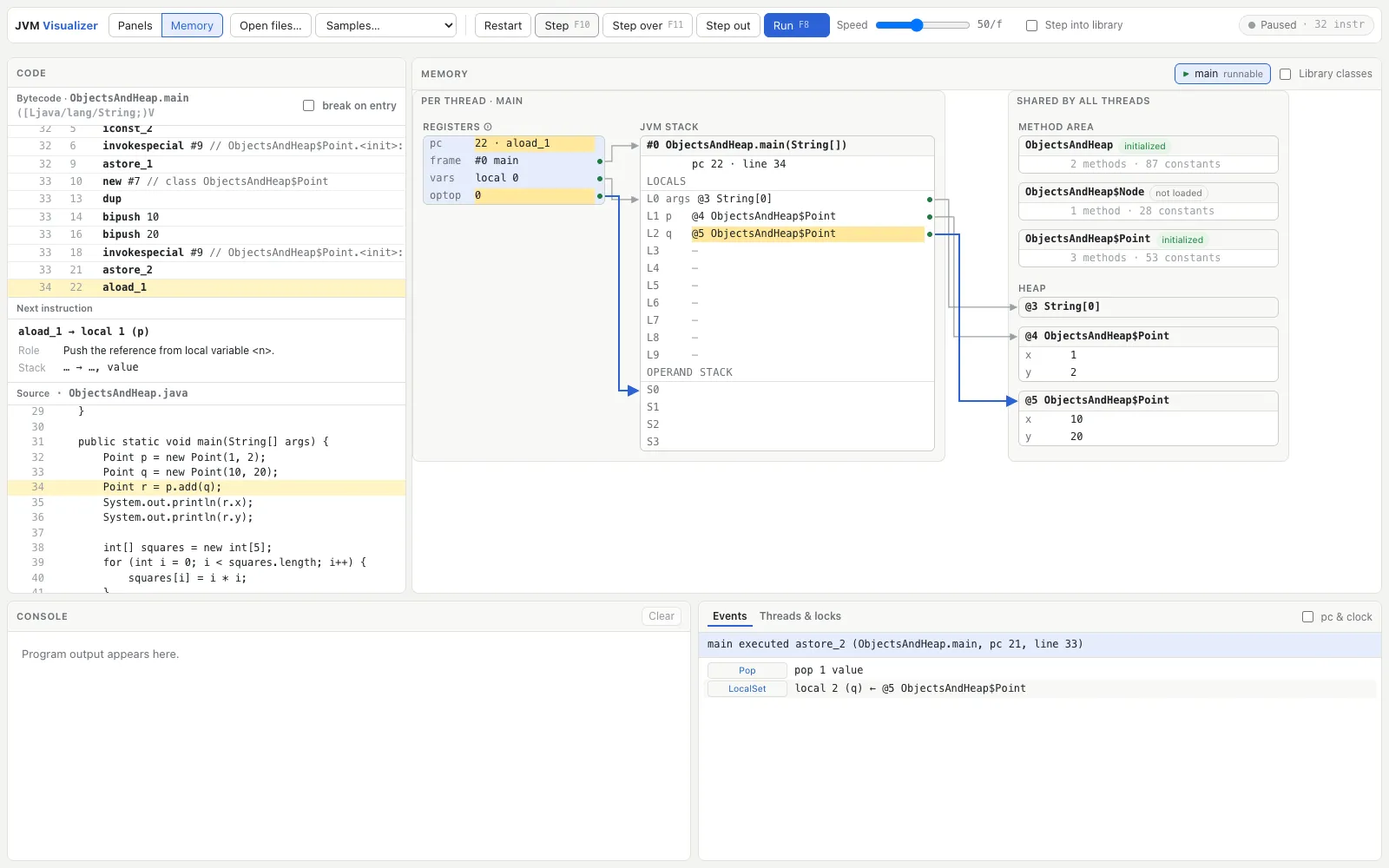
- Memory mode. The JVM’s runtime data areas in one diagram: the textbook registers (
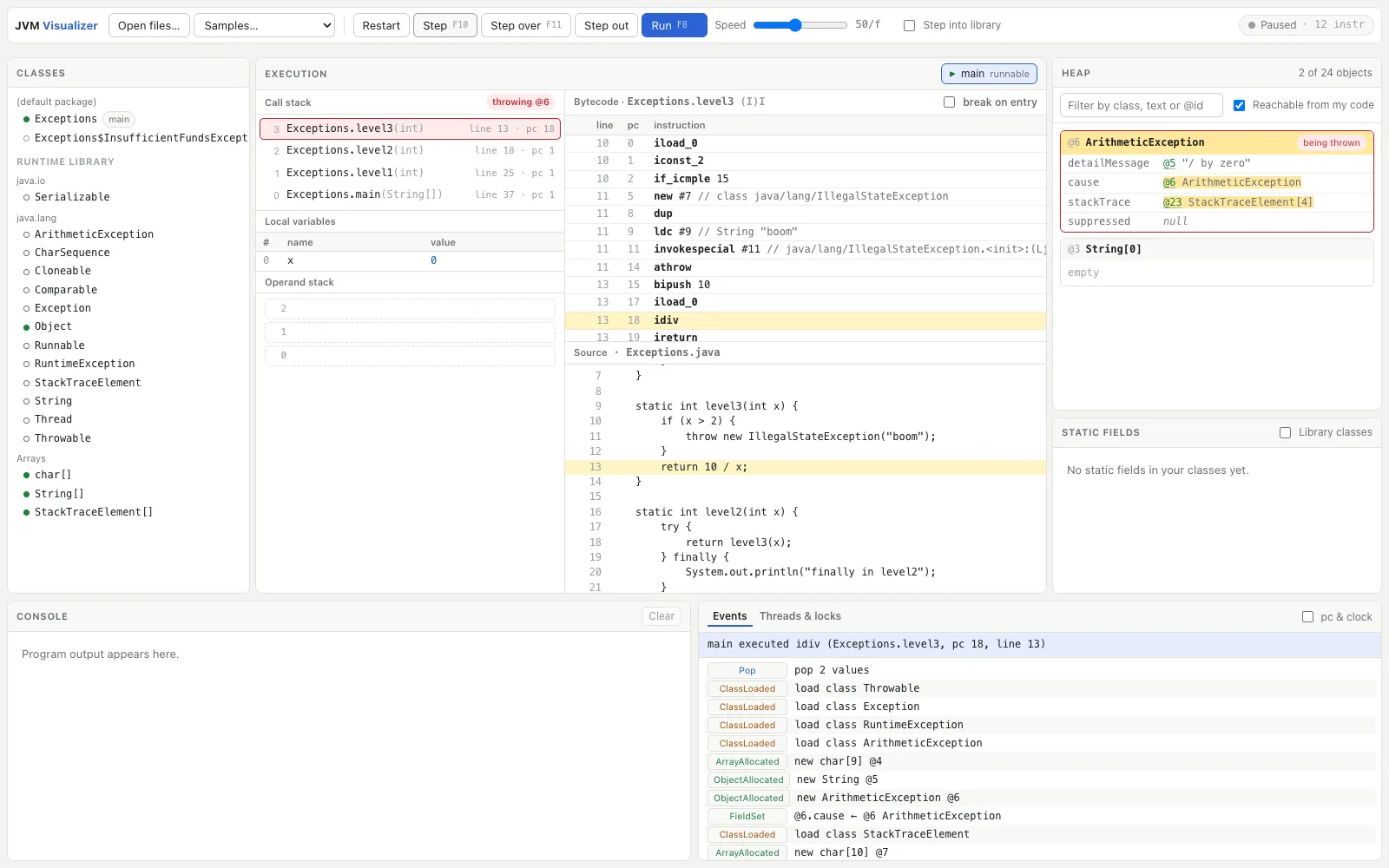
pc,optop,frame,vars), the JVM stack, the method area, and the heap. Every reference is an arrow, and classes sit in the method area before they’re loaded, so you can watch them load on first use. - Exceptions. The throwing frame is outlined, the exception object is pinned in the heap, and every frame popped during unwinding is logged.
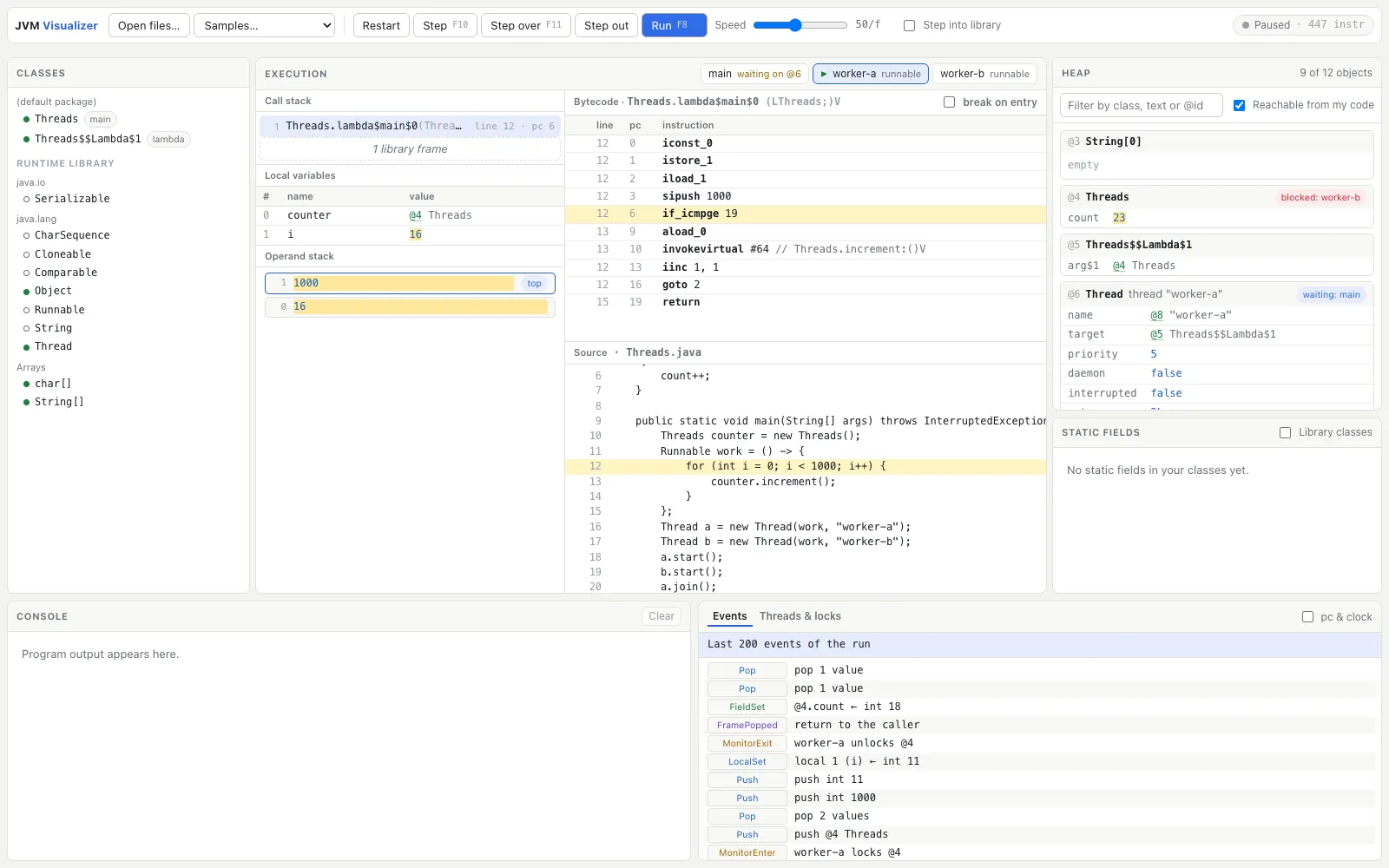
- Threads and locks. A deterministic scheduler, monitors,
wait/notify, and deadlock detection, with every held and contended lock listed.
What it supports
It implements a subset of the Java SE 17 JVM specification: the whole instruction set except the obsolete jsr/ret, classes and interfaces, arrays, class initialization, synchronized, exceptions, invokedynamic for string concatenation and lambdas, and threads. Its runtime library, written for this VM, covers String, the boxed types, Math, Scanner, and the common collections. Records, pattern switch, streams, reflection, file and network I/O, and garbage collection aren’t supported; a program that needs them gets a clear error instead.
Getting started
Launch the app, choose a program from Samples…, press Start, and step with Step (F10).